

Operational email automation earns its place by reducing the work needed to turn incoming messages into usable records or correct handoffs. A crowded inbox alone does not establish that case.
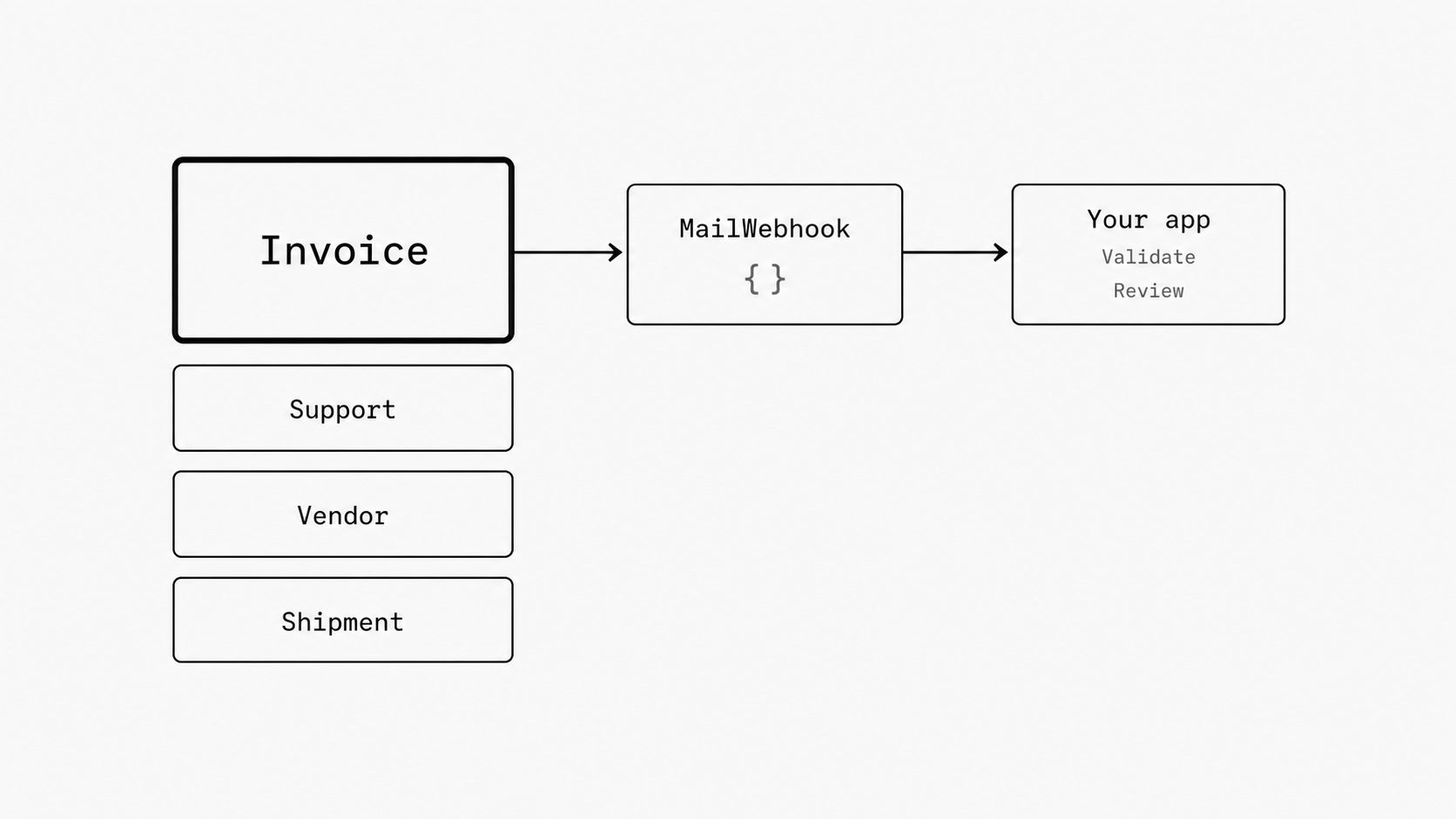
This post focuses on inbound email automation use cases, including invoice intake, support escalations, vendor notices, and shipment updates. These workflows make the case for email-to-webhook infrastructure concrete by linking automation to a result the team can verify.
First deployment candidates: four email automation use cases
Key term: Human-in-the-loop automation gives a person a defined role in reviewing exceptions or approving decisions within an automated workflow.
A first deployment needs one message type and one result the team can verify. Compare these four candidates by the usable record or correct handoff they produce, including the review work needed to get there.
Invoice intake
Input: Supplier emails with an invoice attachment in one agreed format. Microsoft’s vendor-invoice reference architecture uses XML attachments, validates extracted fields, and creates pending invoices in Dynamics 365.
Automated handoff: Pass the invoice data and source file to the receiving finance system for validation and creation of a pending record. File retrieval and extraction of invoice fields are separate requirements to test.
Human-review boundary: Finance staff review failed checks and anomalies. Payment approval stays in the existing finance process.
Success measure: Compare entry, review, and correction time per usable pending invoice with the current workflow. Include failed submissions in the effort total.
Support escalations
Input: One escalation type arriving in a shared support inbox, with the account reference and product needed to identify its owning team.
Automated handoff: Validate those fields and route the escalation, source message, and relevant files to the agreed helpdesk queue.
Human-review boundary: Send missing account references or unclear ownership to a support reviewer. Keep responses and resolution with the support team and outside the initial automation scope.
Success measure: Track correct assignments and time to reach the right queue, including manual review and reassignment time.
Vendor maintenance notices
Input: One provider’s maintenance emails containing a service reference and a planned maintenance window.
Automated handoff: Create a review task with the affected service, maintenance window, and source notice. Check for an existing task before creating another for the same notice.
Human-review boundary: Have an operator review ambiguous service names, dates, or time zones. The service owner decides the business impact and any response needed.
Success measure: Verify that each notice produces one task with the correct service and window. Count missed notices, duplicate tasks, and corrections.
Shipment updates
Input: Shipment notices from one carrier containing a reference that can be matched to a known order.
Automated handoff: Match the notice to the existing order and record its delivery status, retaining the source message for review. This shipment-update automation is limited to order-status updates.
Human-review boundary: Send unmatched references and conflicting updates to operations staff. Keep decisions about customer commitments or other order changes with the responsible team.
Success measure: Track correct order matches, duplicate updates, and review effort. Verify that each accepted notice produces the intended status on the correct order.
Check the fit before adding an intake layer
Key term: Automation readiness is the degree to which a process has repeatable inputs, clear rules, and predictable outcomes.
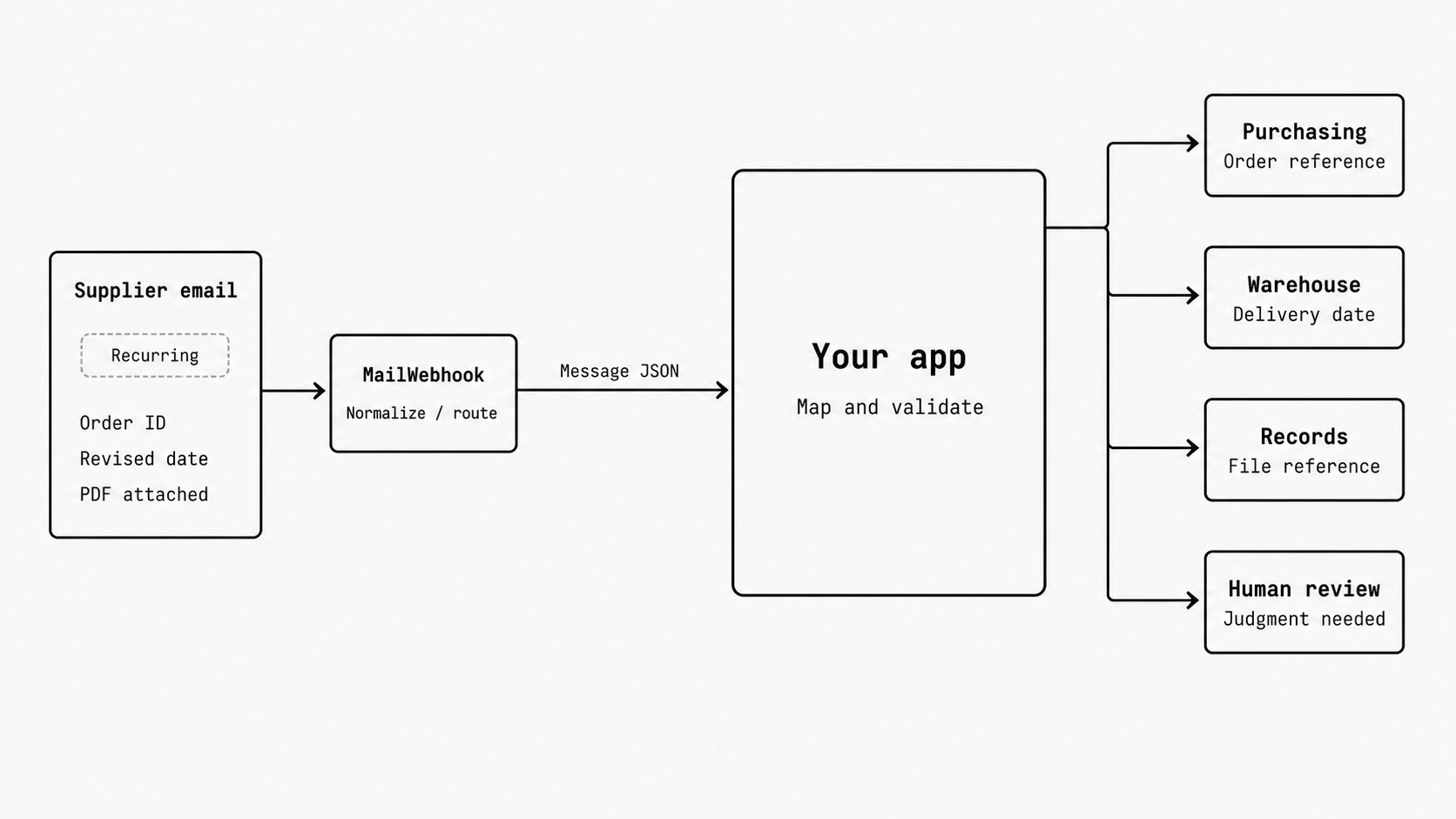
Choose a candidate with recurring messages, consistent fields, and an agreed next step. Google’s SRE discussion of toil offers a useful analogy for repetitive inbox handling: copying IDs, moving files, and forwarding through a fixed chain. Clarify ownership wherever the next action requires judgment.
Check whether the helpdesk, finance system, or other existing tool already handles the required intake. Evaluate an added layer against the manual work that remains, the cost of missed updates, and the effort needed to maintain it.
MailWebhook’s documentation describes standardizing message fields, checking route rules, transforming data, and sending JSON to an HTTP endpoint. Attachments appear as descriptors; the receiver can request a separate download URL. Assign validation and business actions to the receiving application, and test document-content extraction separately from file retrieval.
Use case expansion pattern: reusing the intake layer across related work
Key term: Publish-subscribe messaging distributes events through an intermediary to interested systems, allowing senders and receivers to work independently.
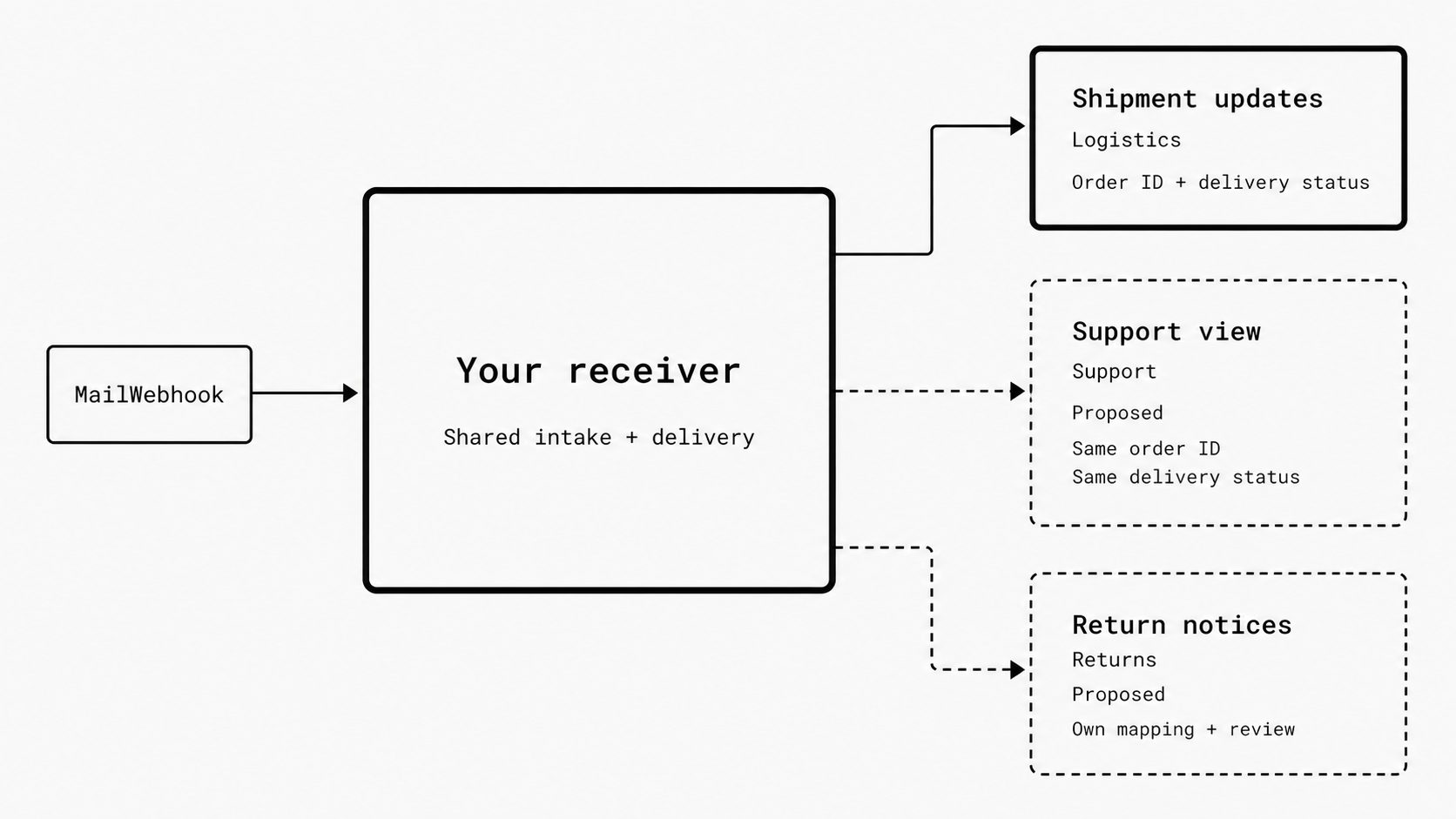
Expand email automation into related work that can reuse the first deployment’s tested intake.
For shipment-update automation, a next step after verified shipment updates could be a support view using the same order ID and delivery status. A later step could add return notices for the returns team. In this proposed design, email receipt and data delivery stay shared. The new message type gets its own field mapping and review rules.
When several applications need the same update, evaluate publish-subscribe messaging behind the email webhook receiver to reduce direct dependencies between senders and receivers. For the proposed MailWebhook setup, require evidence of which component manages subscriptions, who can receive each event, and what happens when a receiver fails. Keep those capabilities open for verification in the full design.
I count setup, ongoing support, and any added messaging service in the value case for each addition. Shared intake earns a broader role when the next workflow saves enough work to justify that added effort.
A first deployment tests whether a dedicated email intake layer justifies its cost. The evidence includes review, correction, and maintenance - not just successful deliveries. That gives buyers a basis for expanding where automation reduces total effort and keeping existing tools where they already do the job.