

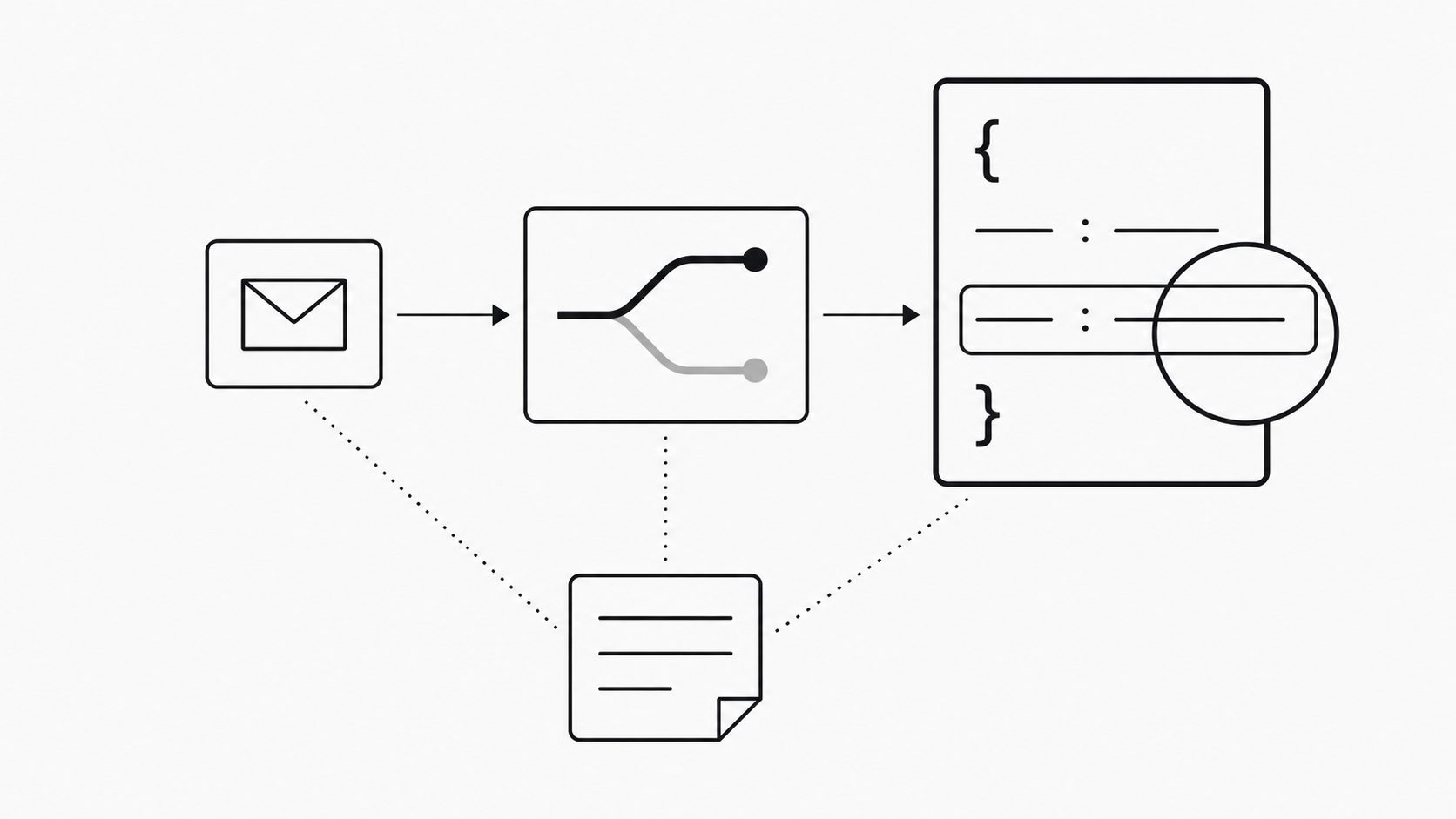
Use email automation testing before production to compare route decisions and JSON values with written expectations. A plausible payload is not enough: valid JSON can still name the wrong record, lose part of an identifier, or omit a required value. Inspect those details before live work depends on them.
I use preview to support a specific rollout decision; assess whole-workflow readiness through separate integration checks. Keep the selected message and tested settings in view, and separate what the preview demonstrates from what still needs an integration check.
Start with one representative email and the receiving app’s requirements. Trace the route result and mapped fields, save the comparison, and rerun a small test set after changes. Use that record alongside separate delivery and receiver checks to set the boundaries of the first live step.
Trace one email from route match to JSON
Key term: A message preview workflow is a check of how one email matches a route and what JSON that route produces.
Trace one stored email from its route decision to its JSON output before approving wider use. I look for a clear path from the original message to each field the receiving app needs. That is the starting point for email automation testing before production.
Choose the tool for the check you need. MailWebhook documents Mailbox Preview for testing a stored message against a selected route and viewing JSON when it matches; attachment files are omitted. Webhook Preview shows captured request and response details. Route-level Send Test queues a synthetic event built from a generated message. It checks the route pipeline and endpoint delivery; provider-specific parsing and attachment extraction remain untested. (Send a test email and inspect the payload)
Before running a check, confirm whether the action sends requests, queues events, or changes message state. Keep any delivery test pointed at a controlled endpoint. Ask whether preview and live delivery share parsing and mapping code, and how multiple matching routes behave. Record unanswered questions as limits on the review.
Then review one message in this order:
- Pick a stored example that reflects a real task. Read its sender, subject, and body. State which route should match and which fields the receiving app needs.
- Compare that expectation with the selected route’s result. Check the email routing rules against the message values. If the outcome differs, resolve the rule issue before reviewing the mapped fields.
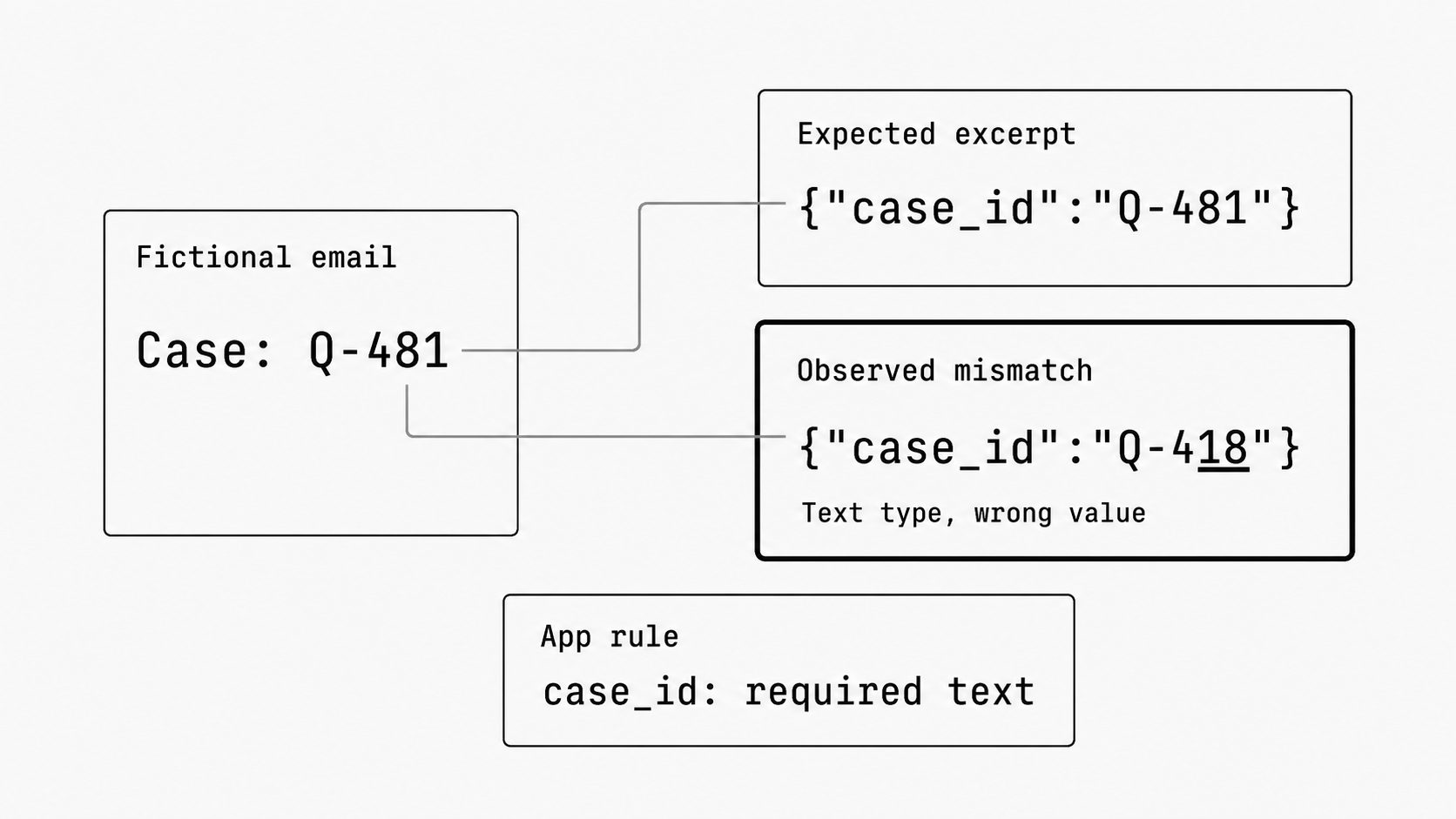
- Follow each required JSON value back to its source. Check spelling, blank values, and data types such as text and numbers. Compare the result with the app’s expected field names.
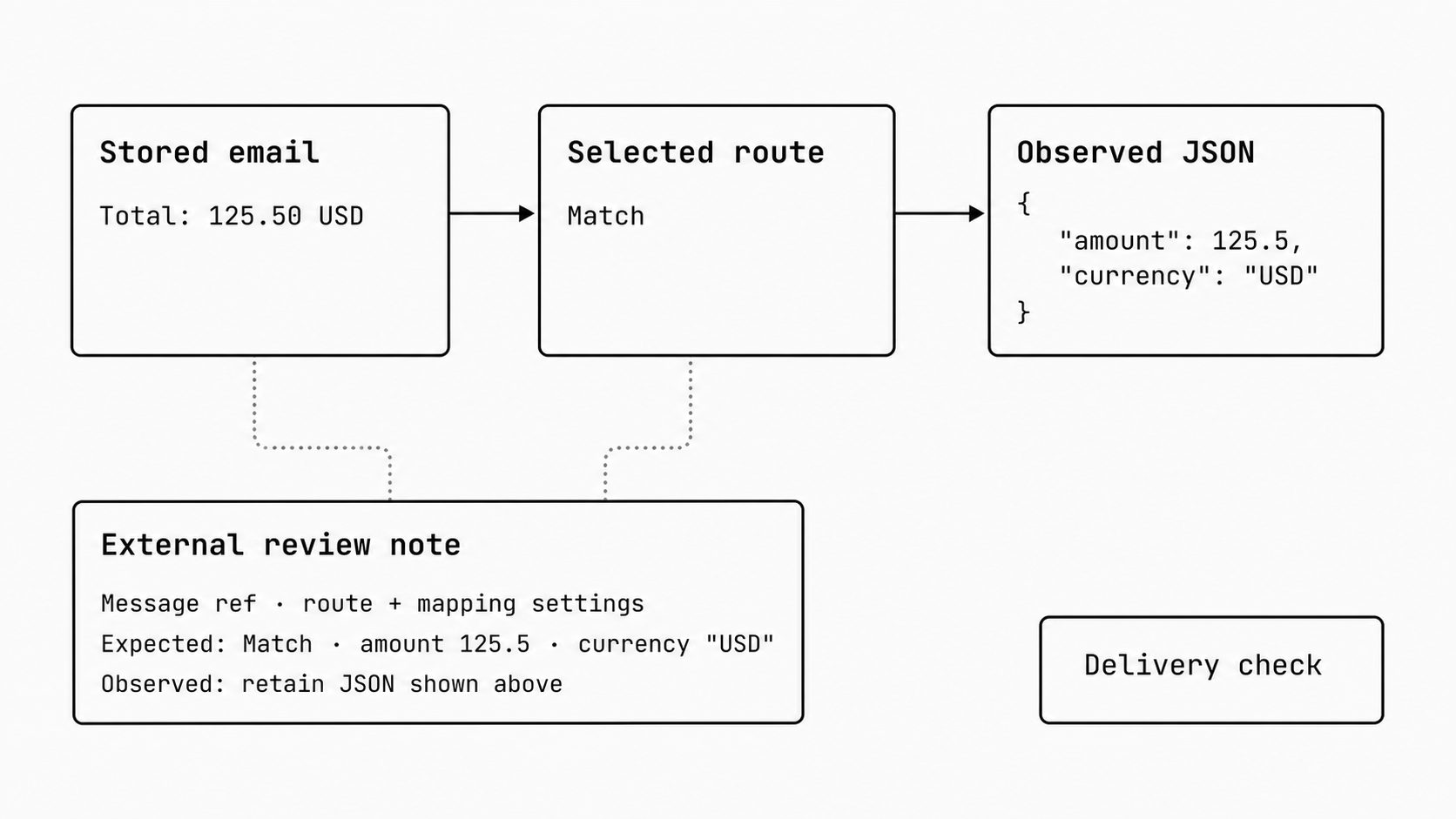
- Save the message reference, route and mapping settings, expected values, and observed JSON in a review note. Keep this record yourself as part of the review.
For example, define a custom mapping for a sample email whose body says Total: 125.50 USD. Set the expected JSON to {"amount":125.5,"currency":"USD"}. These keys belong to this example’s custom format. Require a numeric amount and a text currency code if that is what the app accepts. Treat a blank amount or a value of 12550 as a mismatch to resolve.
Scope the result to the selected message and route. Keep attachment handling and the receiving app’s behavior as separate checks. Use a controlled email webhook delivery to gather evidence about the handoff when needed.
Keep test emails and rerun them after changes
Key term: A pre-production confidence loop is the practice of saving test emails, checking expected results, fixing gaps, and rerunning the checks before wider rollout.
Save test emails with expected results, then rerun the set after each route or mapping change. Start with the message you just reviewed, and add cases that test different decisions. I judge each edit against these written expectations.
Google’s SRE guidance describes regression tests as checks for failures found before. It also cautions that passing tests alone does not prove reliability. Apply that principle by giving each saved email an expected route decision and expected business values. (Testing for Reliability)
Keep a small set of representative cases that can be rerun after a route or mapping change:
- A routine email that should match the selected route.
- A near miss that should fail its sender or subject rule.
- A message with a missing value, with the required blank, default, or error stated.
- Any email that reveals a bug, with the corrected result added after review.
If a routing rule changes, add one case for the newly allowed message and preserve a case that should still fail.
Use your email JSON schema to list required field names and types. Give each sample its own expected business values too. For an order ID of "0042", require text that keeps both leading zeros. Keep these expectations separate from the latest preview output.
Compare values that should stay fixed. If the output includes a new run time or request ID, check its required presence and format separately. Name those fields in the review note so the reviewer knows which differences are allowed.
Record which route and mapping settings preview used. Rerun the representative cases after changes, note whether expected results pass, and keep any failed or unverified check open. Update expectations only when the requirement itself changes. Preview results cover those cases only; carry integration checks into the launch review.
Check each JSON field against the app’s needs
Key term: Visible transformation outcomes are the JSON values and route decisions made available for people to review during setup.
Approve the mapping only after each JSON field meets the receiving app’s rules. Use the saved output to settle which values the app accepts and what happens when data is missing. I treat these rules as a shared agreement with the receiving team.
Have the receiving app owner confirm the required field names, types, and business values. A JSON Schema can define types and required fields; a field is optional unless named in required, and null differs from an absent field. (JSON Schema: object)
For example, if a support app uses case_id to select a record, compare the mapped value with the expected ID and confirm the summary preserves the request’s meaning. State whether mapping may trim, change case, or shorten values, and verify the app accepts the resulting values.
Agree how the app handles missing, null, and blank values, optional fields, defaults, and unexpected fields. Confirm where validation runs, and test the required failure paths in the receiving app or a separate validator. Treat unverified behavior as an open integration question. Include only fields the app needs.
Use preview evidence to set the first live step
Key term: Rollout-risk compression means using preview findings to resolve likely failures and limit the first live step before more work depends on the system.
Use preview evidence to approve a narrow first live step with clear stop rules. Carry the field review into a short approval card that names the allowed work, the person watching it, and the limits on expansion.
Google’s SRE guidance describes canarying as deploying a change to part of a service for a set time and evaluating it before wider rollout. I use that principle to turn the review record into a plan for the email webhook handoff. (Canarying Releases)
The card should state the allowed messages and receiving action, who monitors and can stop work, the expected results, and the conditions that pause the rollout. Confirm any message cap, end time, and enforcement control in a separate integration check.
Choose an initial scope from the message types that pass review. Keep untested types outside it. Test that excluded messages cannot trigger the new action. Keep MailWebhook’s built-in traffic limits, pause controls, and rollback behavior marked unverified until demonstrated.
Carry email intake, delivery, authentication, receiver behavior, and duplicate handling into separate integration checks. Record which have passed in a controlled setting and which need evidence. Limit approval from preview to the behaviors exercised in the saved tests.
Stop and recovery behavior needs a separate integration check, including queued work, sent requests, retries, and ownership for restoring the prior process. Keep it unverified until demonstrated.
A critical failure or an unverified required check blocks launch. For other open issues, record the excluded scope and the evidence needed before expansion. At the end of the first live step, compare actual app results with the card before approving wider use.
Approve only the live scope supported by saved test results and passing integration, stop, and recovery checks. A correct route result and JSON payload do not establish that the receiving app completes the intended action.