

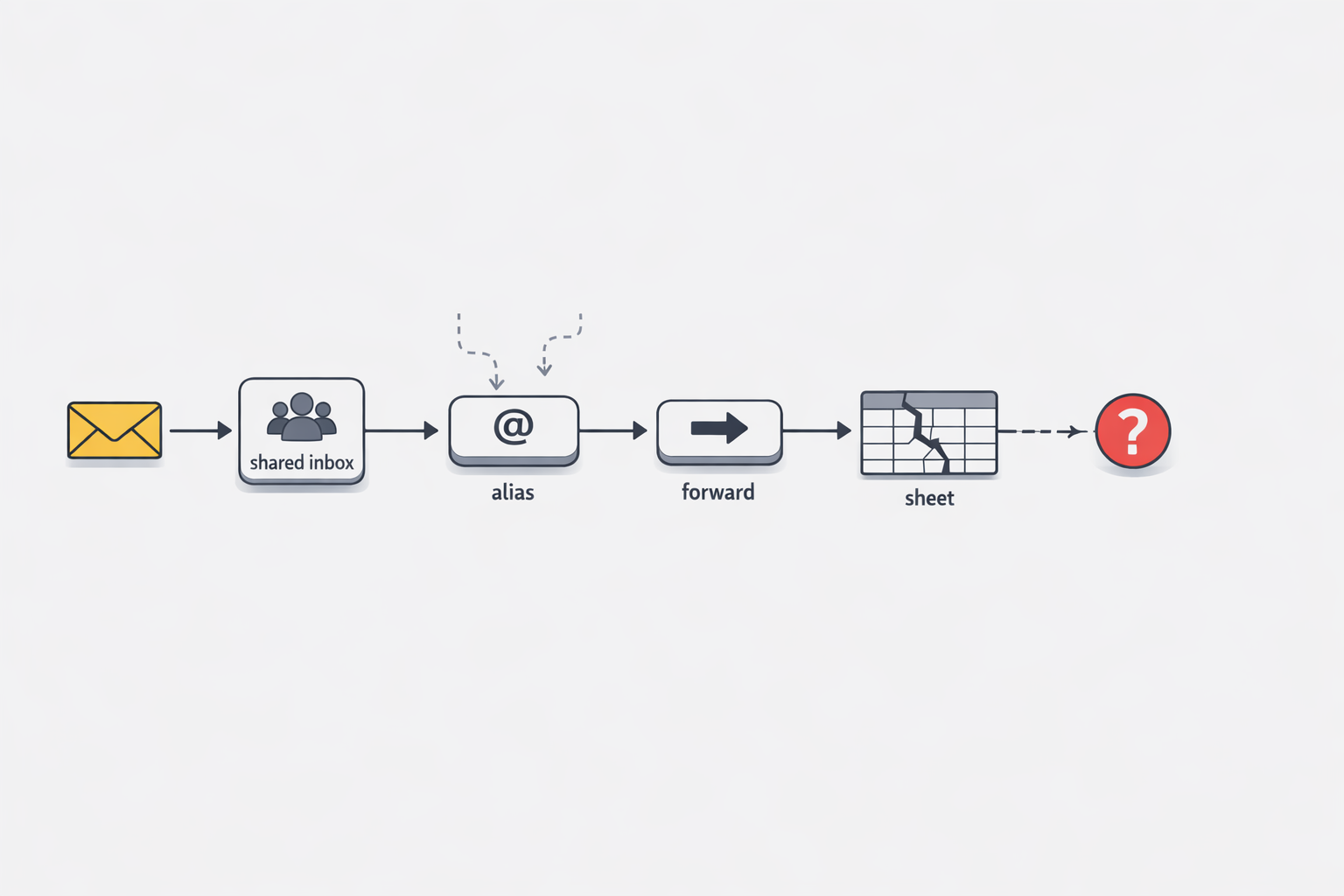
Most teams do not decide to build an operational system out of mailbox rules, aliases, and quiet forwards. They arrive there incrementally. A VIP request gets special handling. A regional team needs a different approver. Weekend coverage moves to another inbox. Each adjustment feels practical, fast, and harmless on its own.
That is exactly why this pattern is so easy to underestimate. What begins as convenience slowly turns into process logic spread across personal inboxes, shared mailboxes, admin settings, and side spreadsheets. By the time leaders notice the symptoms, uneven response times, missed messages, duplicate work, and long post-incident investigations, the workflow is already business-critical. The issue is not that teams tried to automate. The issue is that they did it in places designed for communication, not for durable operational control.
In this post, I want to make the problem legible. Mailbox rules can be useful tools, but they are not architecture. Once routing, accountability, status, and recovery depend on hidden inbox behavior, the organization has created a brittle system without meaning to. That brittleness usually stays invisible until the work becomes important enough that failure is expensive.
When every new exception adds one more hidden hop
I have seen this pattern start with a reasonable request. One VIP customer needs faster handling. One region needs a different approver. One product line needs a backup inbox for weekends. So we add a rule, an alias, a shared mailbox, or a quiet forward to one more person. It feels smart because each change solves a real problem in the moment. Then six months later, nobody can draw the path an email takes without opening three admin screens and asking two people who may have already changed roles. That is forwarding-chain sprawl. It is not just messy. It is hidden operating logic inside mail flow, and those hidden changes matter enough that Microsoft 365 treats mailbox rule changes, forwarding activity, and related mail actions as auditable events. (Microsoft Learn - Manage mailbox auditing)
You might be wondering: when does this become a leadership problem instead of a local admin shortcut? In my experience, it happens the moment the inbox starts carrying a business-critical workflow. At that point, every extra hop raises the odds of delay, duplicate handling, and silent failure because the real process lives in scattered settings instead of one visible system. One person creates an inbox rule. Another adds forwarding in a mailbox setting. A third person updates a shared mailbox habit by telling the team, not the system. Soon the workflow has grown faster than the documentation. (Microsoft Learn - Use the audit log to identify Exchange inbox rules activities)
What makes this especially brittle is that the logic is easy to change and hard to see. A team may believe they have a simple intake path, while the actual path includes exceptions for customer tier, geography, vacation coverage, after-hours support, and a few historical workarounds that were never removed. Each step may still make sense on its own. The risk comes from the accumulation. The process stops being obvious, and once it stops being obvious, it also stops being governable.
I think executives often feel the pain before they can name the cause. They hear that response times are uneven. They hear that messages were missed. They hear that nobody is fully sure where a request sat for two days. The team says, “we have rules for that,” and that answer sounds reassuring until you realize the rules are spread across personal inboxes, shared mailboxes, and admin-level mail flow settings. Microsoft documents these areas in audit and investigation guidance because changes to inbox rules and transport behavior can affect delivery and processing in meaningful ways.
That is why hidden hops age so badly. They borrow structure from the inbox, which was built for communication, then stretch it into workflow control. Early on, the cost is low and the speed is high. Later, the same design creates drag because nobody can inspect the whole flow at once. The team ends up depending on memory, screenshots, and tribal knowledge to explain what should have been visible by design.
The useful insight here is simple: every new forwarding exception is a process decision, even if it is implemented as a mailbox convenience. Once you see it that way, the warning sign becomes easier to spot. If your team needs hidden hops to express priority, coverage, routing, escalation, or categorization, then the inbox is already acting like an informal workflow engine. And informal workflow engines usually break right when the work becomes important.
So when I see one more alias, one more quiet forward, or one more personal rule added to keep work moving, I do not read that as clever automation anymore. I read it as evidence that the operating model has outgrown the mailbox. That shift in perspective matters because it moves the conversation from “why did this message get lost?” to “why is essential routing logic invisible in the first place?”
Who owns the workflow when it lives in mailboxes?
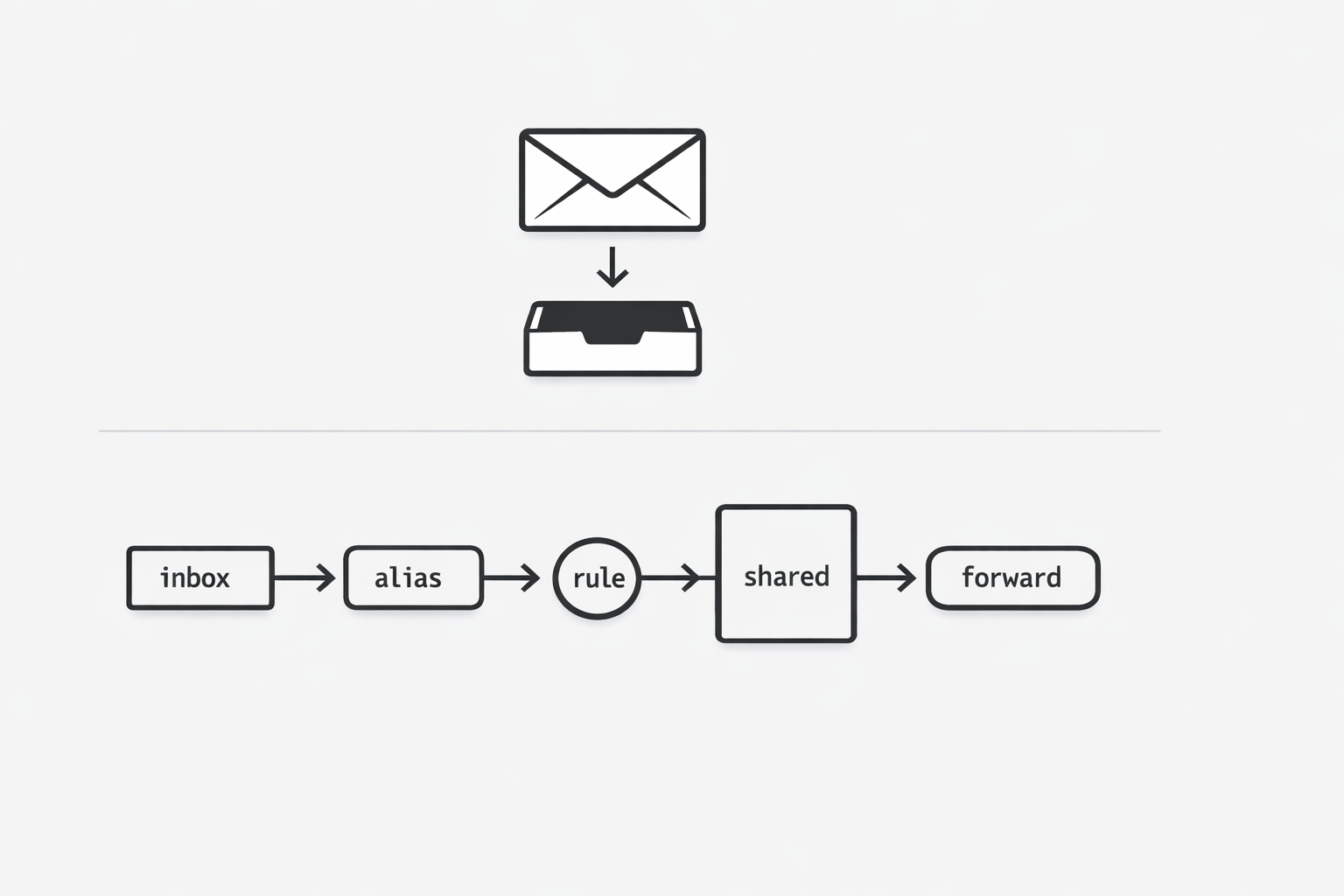
A shared mailbox can make everyone feel involved while leaving nobody clearly accountable. Microsoft documents mailbox auditing by separating owner, delegate, and admin actions, which shows that distinct roles can perform distinct actions inside the same mailbox environment. When a workflow depends on several of those roles at once, accountability can blur fast. (Microsoft Learn - Manage mailbox auditing)
That blur creates an operating problem before it becomes a technical one. Shared access lets multiple people view or touch the same mailbox, but it does not define who is responsible for intake, triage, follow-up, escalation, and closure. A customer complaint, approval, or urgent notice can sit in a mailbox many people can open, yet no one may be formally accountable for moving it from arrival to resolution. Microsoft treats owner, delegate, and admin actions as separate audit categories, reinforcing that the platform itself recognizes materially different roles within one mailbox environment. If responsibility is inferred from access instead of assigned through a governed layer, missed handoffs and duplicate effort become much more likely.
Use one simple test immediately: stop asking who can access the mailbox and ask who owns the next state change of the work. Access identifies who might act; ownership identifies who must act and who is accountable if progress stalls. If no single person or system can answer that clearly, treat the mailbox as a signal rather than the workflow system itself. That shift helps expose ownership ambiguity early, before delays and confusion become visible to customers or leadership.
The spreadsheet becomes the system nobody meant to build
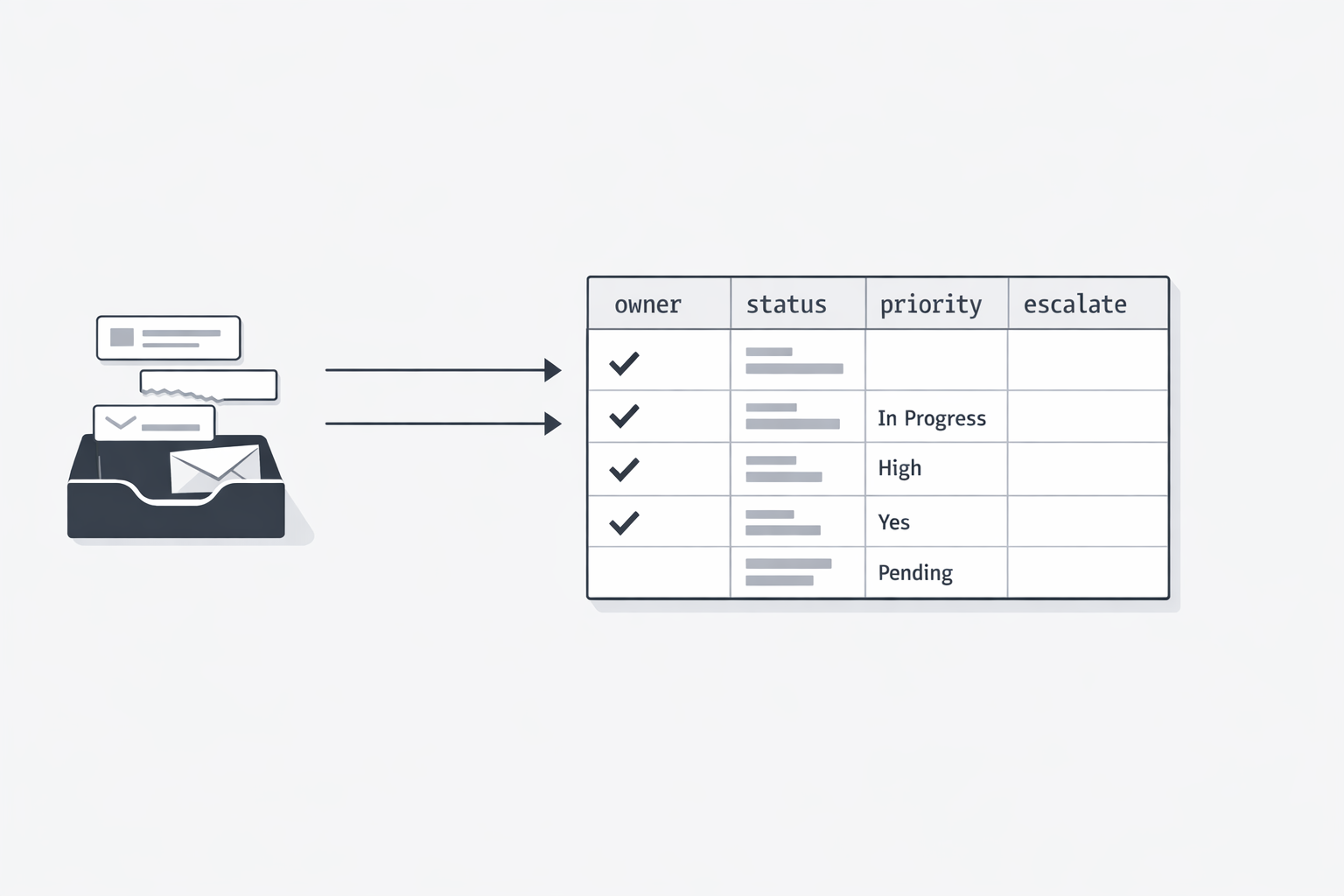
A shared spreadsheet often starts as a quick patch, then quietly becomes the place a team trusts for ownership, status, and escalation when the inbox cannot show workflow state clearly. (Radicati Group - Email Market, 2024-2028 Executive Summary)
That shift matters because email remains a major business communication channel, yet inboxes are built to show messages rather than complete team workflow state. As volume and complexity rise, teams add spreadsheets to track owners, priorities, exceptions, and handoffs, creating an unofficial control layer beside the mailbox. Over time, that manual layer becomes fragile because the latest truth is split across inboxes, memory, and spreadsheet cells.
Use one fast test: if the spreadsheet vanished today, could the team still see what is waiting, who owns it, what is late, and what needs escalation? If not, the sheet is not just a helper; it is carrying operating logic the inbox does not reliably provide.
When something breaks, the investigation starts in the ruins
The most expensive moment in an inbox-driven workflow is often not the failure itself, but the hour after it, when everyone starts digging through traces spread across mailboxes, rules, and admin tools. That is debugging by archaeology: reconstructing what happened only after the evidence has scattered. (Microsoft Learn - Search the audit log to troubleshoot common scenarios)
Some investigation is normal in any system, but the real difference is whether the system gives you a clear timeline or forces you to assemble one from fragments. In inbox-centered workflows, answers about where a message went, who touched it, and what state it is in are often split across separate evidence sources. Microsoft also documents suspicious inbox forwarding rules as an investigation area in business email compromise cases, showing how hidden forwarding logic can change what users see and where messages go. That fragmentation turns routine troubleshooting into slow reconstruction instead of fast resolution. (Microsoft Learn - Alert classification for suspicious inbox forwarding rules)
Use one test in your next staff review: when a message goes missing, can the team see the workflow history in one place, or do they have to rebuild it from artifacts? If reconstruction is required, the process lacks an accessible operational history and will stay fragile under pressure.
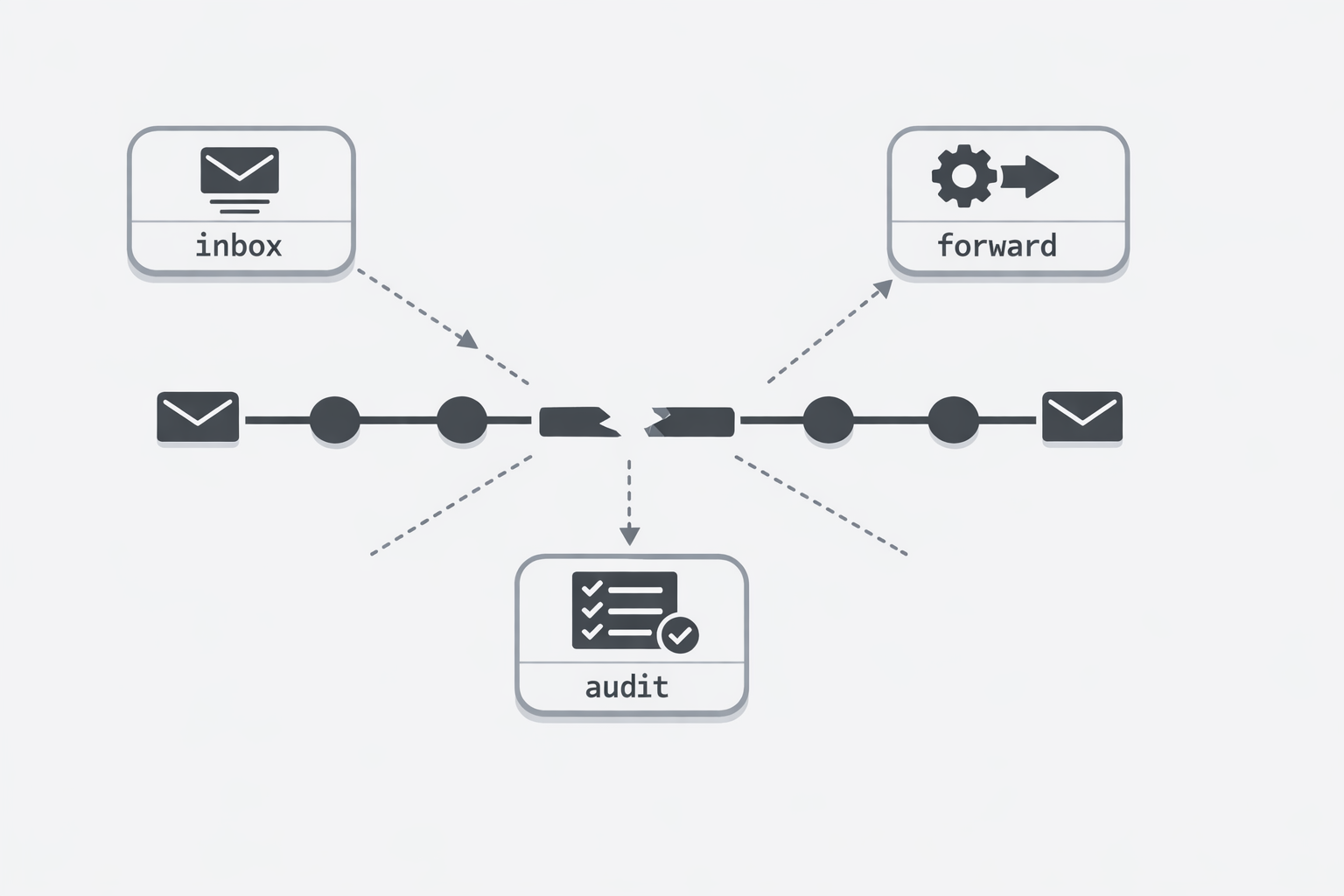
The common thread here is not email itself. It is the habit of letting operational structure accumulate in places that are easy to change but hard to govern. Hidden forwarding hops obscure the path. Shared access blurs responsibility. Spreadsheets become the unofficial control layer. And when something fails, the team has to reconstruct events from fragments instead of reading a clear history.
For technical executives, this is the real warning sign: if the business depends on the workflow, the workflow should be visible, governable, and owned. Mailbox conveniences can help with communication, but they should not be carrying the core logic of intake, routing, escalation, and completion. When they are, the organization is not running a streamlined system. It is relying on operational sprawl that only looks simple from a distance.
That is why forwarding rules are not an architecture. They are often evidence that a real architecture is overdue.