

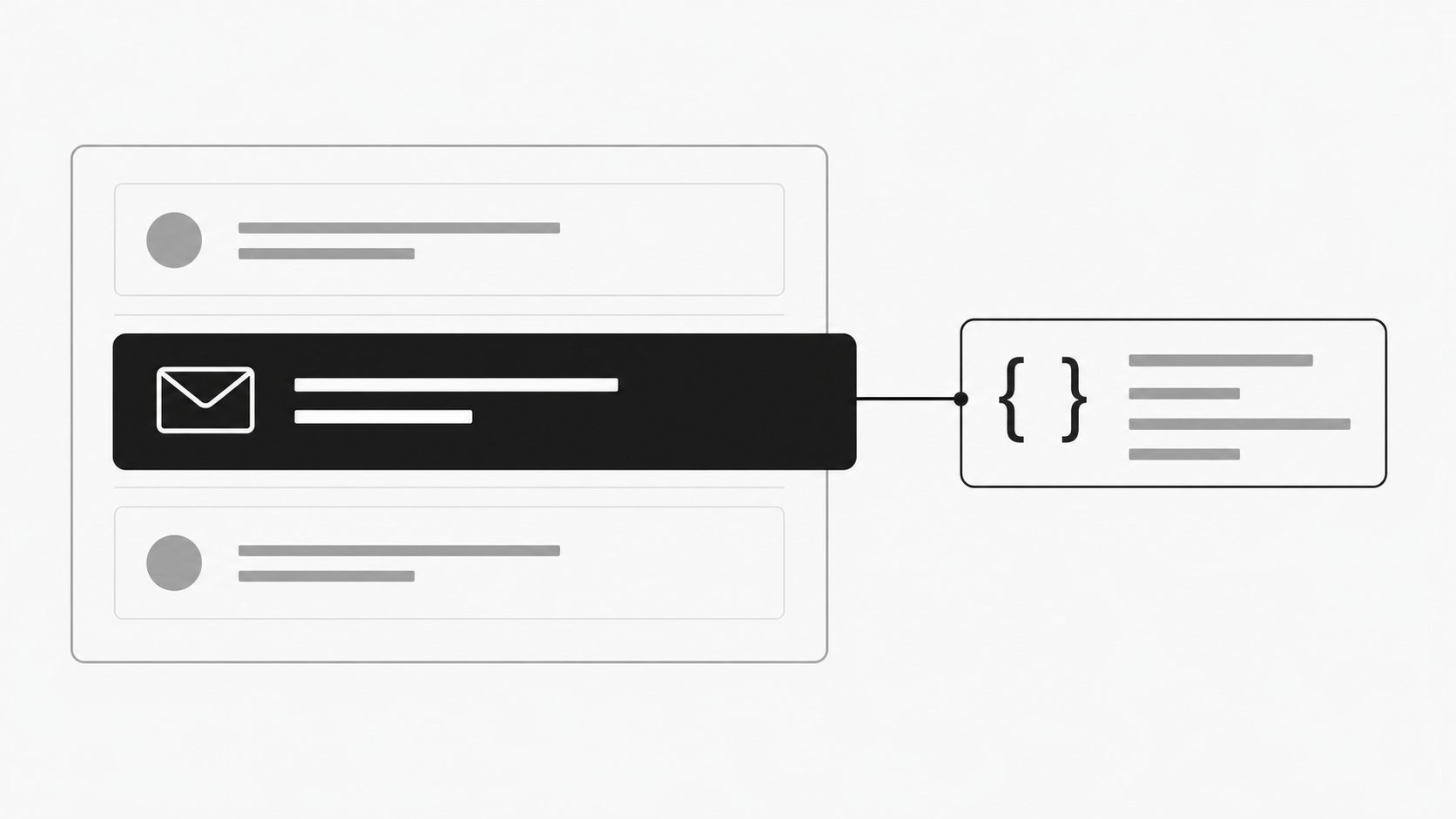
An order update or support request can reach an inbox just after a scheduled check. Your application then waits for the next check before it can act on that message.
We’ve released IMAP IDLE for MailWebhook’s IMAP-to-webhook connections. Your mail server can now tell MailWebhook when the watched folder changes, so synchronization can begin without waiting for the next scheduled poll.
The release also makes mailbox changes easier to manage and adds automatic recovery for stored messages awaiting processing. Here’s what changes for your team.
Faster mailbox updates, with no extra setup
IMAP IDLE is enabled by default on Starter, Pro, and Business plans, and on Enterprise plans that include it. There is no separate IDLE setting to enable. Existing eligible, enabled IMAP mailboxes use it automatically, and new connections follow the usual setup flow.
The mail server must support IDLE. Free plans and servers without IDLE support continue to use scheduled polling.
With IDLE, the path is straightforward:
- MailWebhook keeps a connection open to the folder you selected.
- The mail server reports activity in that folder.
- MailWebhook checks for new messages and sends them through your existing routes and webhook processing.
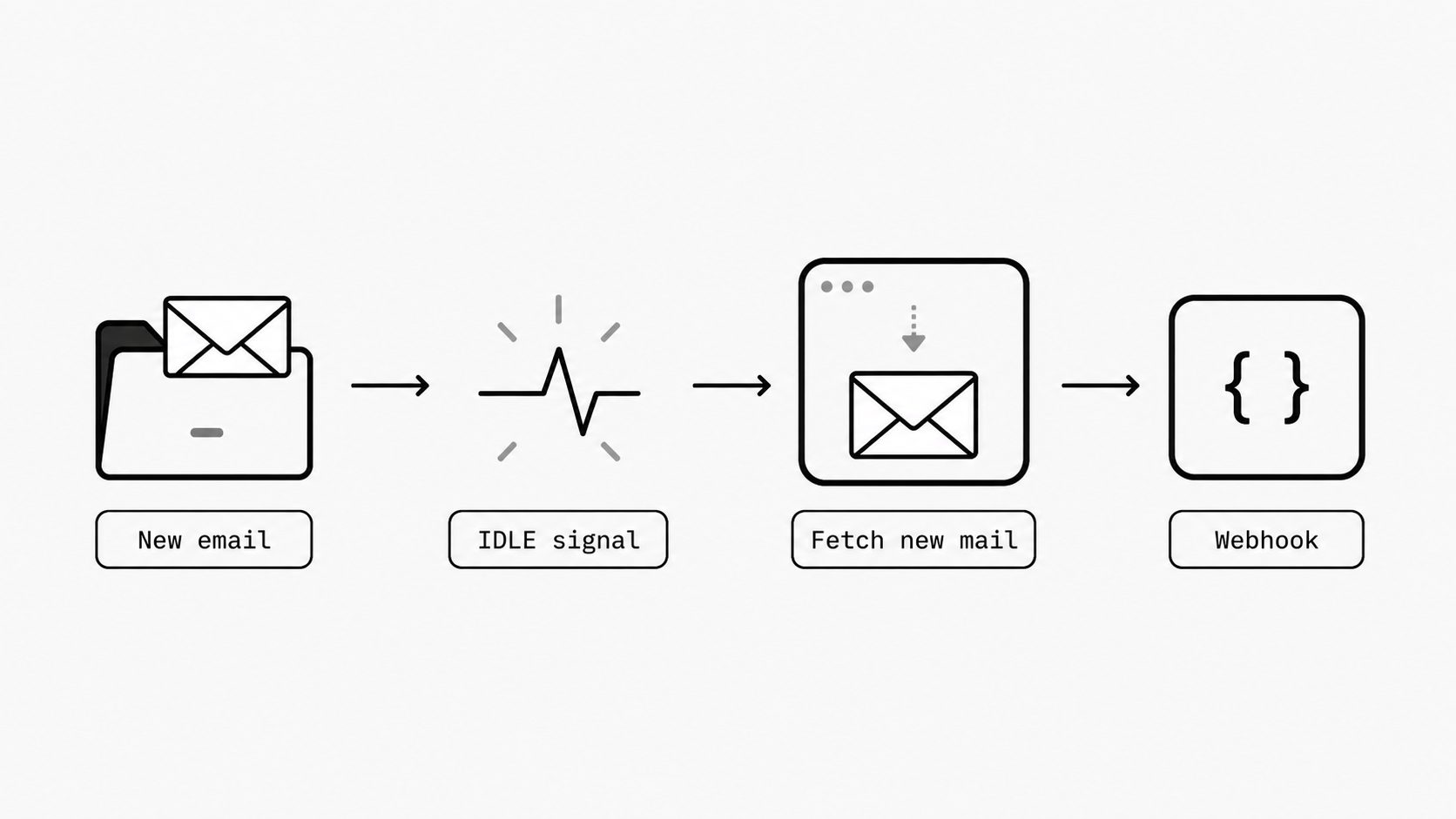
MailWebhook manages the connection and reconnects when needed. Your route rules, payload mappings, and webhook receiver continue to work as before.
See IMAP IDLE configuration for availability and setup details.
Regular checks add another layer of assurance
The Poll Interval setting still has an important job. It schedules regular checks of the selected folder alongside the activity updates sent by the mail server.
Those checks provide an additional layer of assurance that new mail has been picked up. Both paths use the saved synchronization progress to find new messages.
A successfully completed activity-triggered check resets the polling interval, so the next scheduled check is timed from that completion.
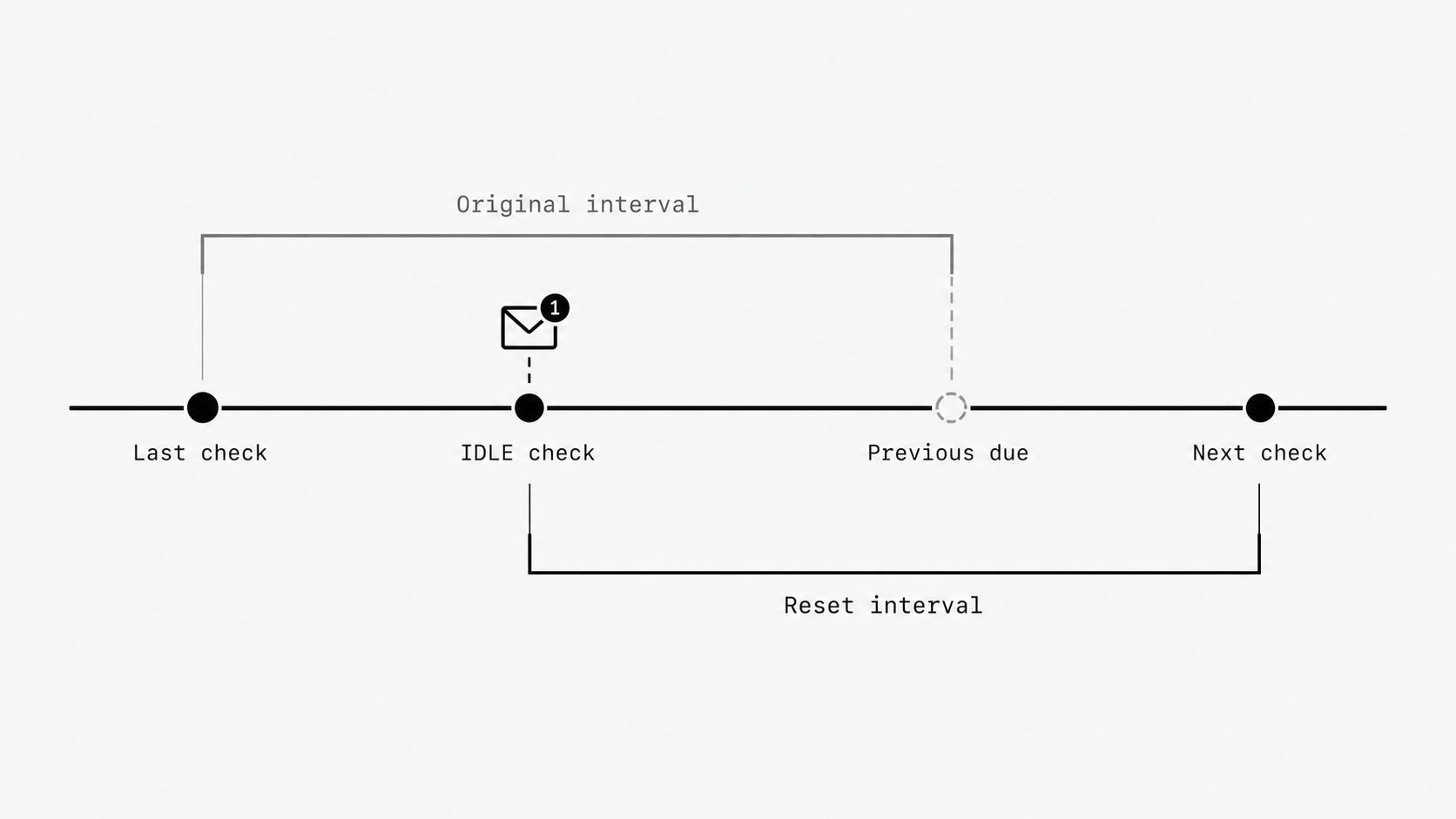
You get prompt checks when the server reports activity, plus regular verification of the mailbox state. Keep the interval that fits your workflow, subject to your plan’s minimum.
Change connection settings with clearer choices
Correcting a server hostname can still point to the same inbox. Switching to a different folder changes what MailWebhook should read. The mailbox editor now lets you make that distinction through Mailbox continuity:
- Same mailbox: confirm that the settings still identify the same mailbox and folder, preserving progress when the server’s message identifiers remain valid.
- Different mailbox or folder: start tracking new arrivals from the new source, with Backfill available for earlier mail.
MailWebhook checks the connection before saving. You can also use these choices to resume a mailbox paused after an earlier source change.
If the server changes how it identifies messages in the folder, MailWebhook automatically continues from new arrivals and sends a notification explaining the change. Existing stored messages remain available. Use Backfill if you need earlier messages from the folder.
More of the routine work happens automatically
The release includes three other improvements to mailbox setup and operation:
- Clearer connection security. Choose TLS or STARTTLS, and the form selects the standard port. Use a custom port when your provider requires one.
- Protected preview and replay selections. If a source change makes an earlier selection stale, refresh the preview before replaying it. This prevents an old message identifier from pointing to a different message. See preview troubleshooting.
- Automatic processing recovery. Eligible stored messages left awaiting initial processing after a worker or queue interruption are retried automatically. See recovery before delivery.
For developers managing mailboxes through the API
The mailbox API now accepts tls_mode for explicit connection security and source_action for a continuity choice. Mailbox responses include recovery_reason to explain a source-related pause.
Existing use_ssl clients remain supported. When reading and updating a STARTTLS configuration, preserve tls_mode; the legacy use_ssl boolean alone cannot represent STARTTLS.
Clients that omit source_action retain the existing pause-on-source-change behavior, so integrations can adopt the new choice explicitly.
The updated OpenAPI JSON covers the request and response fields.
Try it with a new message
If your eligible IMAP mailbox is already connected and enabled, send it a new email and check the matching event and webhook delivery. There is no extra IDLE setup step.
For a new connection, follow the IMAP setup guide. New connections begin with new arrivals; Backfill lets you bring in older messages when you need them.